Smart Switch Without a Neutral Wire in India: Your Options
No neutral wire at your switchbox? How to check, why Indian boards often lack one, and your real options: run a neutral, move the relay, or skip wiring.

By Abhi Bavishi

A smart switch needs a neutral wire, and many Indian switchboxes do not have one. In older, traditional wiring the neutral runs straight to the light or fan, and the switch only breaks the live wire, so the box behind your switch can hold just two wires: one coming in, one going out to the light. Indian switchboxes vary a lot, from standard wiring to non-standard and loop wiring. This guide explains how to check what you have, and what your typical options are if the answer is “no neutral”.
Short answer: do not buy a smart switch until you know whether your switchbox has a neutral. If it does not, you have five honest routes: have an electrician run a neutral to the box, move the smart relay to a place that has one (the ceiling point or the distribution board), use a neutral-less switch from another brand and accept its trade-offs, use smart bulbs or plugs, or add wireless buttons, which need no wiring at all. Smartify’s standard TAC switches, TOQ touch panels and Layer retrofit relays are documented as needing Live, Neutral and Load wires where they are installed, so we do not claim any of them runs without a neutral. But a missing neutral at the switchbox is usually solved by changing where or how a module is installed, and depending on your wiring we can recommend or customise the right approach: send us photos on WhatsApp.
How we wrote this: Smartify product statements come from the installation requirements in our product documentation; general statements about neutral-less switches come from the independent sources listed at the end, checked on 16 October 2026. We have not lab-tested neutral-less switches, and we do not sell one, so we name none. Prices in the table are our catalogue prices at the time this page was built; the product page always has the current price and stock.
Safety first: let an electrician open the box
Switchboxes carry mains voltage, and mistaking one wire for another is dangerous. Do not poke at wires to find the neutral, and do not rely on wire colours alone, because older and newer homes use different colour habits. Have a qualified electrician do the check and any rewiring. Switch off the circuit at the MCB on the distribution board, not just at the wall switch, and have them confirm the wires are dead with a tester before anything is unscrewed. India’s wiring code, IS 732, applies to the work.
What the neutral wire is, and why your switchbox may not have one
A lamp works when current can go out along the live wire and come back along the neutral. A plain mechanical switch only needs to break the live wire, so traditional Indian wiring runs the neutral directly to the light or fan fitting and brings only the live wire to the switch (the “switch loop”). That is why many boxes hold a live wire in and a switched live wire out, and nothing else.
A smart switch is different. Its radio and electronics must stay powered even when the light is off, so they need a second wire to complete a circuit. That second wire is the neutral. Homes wired or rewired with smart switches in mind often bring a neutral to the box; older homes frequently do not. Sources: StudioMatrx on installing smart lighting in India and SmartHomeScene on no-neutral switches.
How to find out whether you have a neutral
- Ask the electrician to open one switchbox with the circuit off at the MCB, and tell you which wires are live, switched live and neutral. A box where each switch has just two wires, one in and one out to the light, is the classic sign of a switch loop with no neutral, but only the electrician can confirm what each wire is.
- Check the other places. Ask whether there is a neutral at the ceiling or fan point for the same light, and whether there is a neutral bar at the distribution board for that circuit. These two answers decide your options below.
- Check every box you want to change. Boxes in the same house can differ, especially if rooms were rewired at different times.
- Ask about space. If a neutral has to be added, the electrician needs to say whether the existing conduit has room for another wire or whether chasing the wall is needed.
What Smartify’s own switches and modules need
Honest answer first: according to the installation requirements in our product documentation, the standard Smartify wall switches and relays listed below need a neutral wire at the point where they are installed. The TAC pages say a neutral wire is required for all TAC switches, the TOQ panel pages list Live, Neutral and Load wires, and the Layer retrofit relay and dimmer pages list Live, Neutral and Load wires in the flush box, with the neutral landing on the module’s N input. We do not claim that any of these runs without a neutral.
That describes the standard products, not the end of the conversation. Indian homes are wired in many ways, and depending on your wiring we can recommend or customise the right approach, such as the typical approaches below. If you are unsure about a specific model or box, send us photos before you buy.
| Product | What it is | Load, as documented | Wires listed in its documentation | Price today (incl. GST) |
|---|---|---|---|---|
| Layer Relay 1 | Zigbee relay, 1 channel; behind a switch or on a DIN rail | Up to 4A direct; above that, an external relay, SSR or contactor | Live, Neutral and Load | ₹4,500 |
| Layer Relay 2 | Zigbee relay, 2 independent channels; behind a switch or on a DIN rail | Up to 4A per channel | Live, Neutral and Load | ₹4,500 |
| Layer Relay 1 HL | Heavy-duty Zigbee relay, 1 channel; behind a switch or on a DIN rail | Up to 40A; cable sizing and circuit protection are mandatory, qualified installation required | Live, Neutral and Load | ₹6,600 |
| TAC switches and Interface Scene (11 models) | Zigbee wall switches that replace the plate | Differs by model (for example, up to 4A for TAC 1 and 2A per load for TAC 4); see each product page | Live, Neutral and Load; “required for all TAC switches” | From ₹7,500 |
| TOQ touch panels (9 models) | Zigbee glass panels that replace the switch box plate | Up to 4A per channel; fan channels have their own rating | Live, Neutral and Load | From ₹13,116 |
Stock and the final price are on each product page. Browse them on the touch switches page and the switching and retrofit modules page. All of these use Zigbee and need a Zigbee gateway or hub; we recommend an open stack (Zigbee, Z-Wave or Matter) because devices from different brands then share one gateway. See our Zigbee hub versus Wi-Fi guide for why.
Your options when the box has no neutral
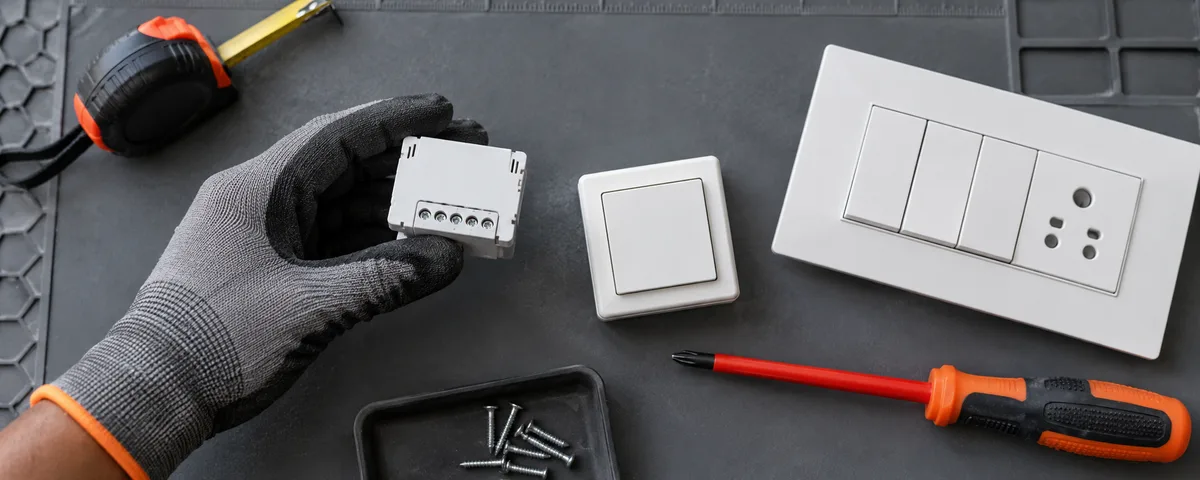
These are typical approaches. Which one fits depends on your wiring; where it is non-standard, send us photos and we will recommend or customise the right approach for your home.
Option 1: have an electrician run a neutral to the box
This is the cleanest fix and the one that opens up every product above. The electrician brings a neutral to the switchbox, usually from the nearest point that has one. The trade-offs are cost and mess: how much depends on where the neutral is, whether conduit has room, and whether walls must be opened, so we will not quote a figure here. Ask for it per box, and do it before painting or tiling if you can. If you are building or renovating, ask for a neutral at every switchbox and you will not face this problem again.
Option 2: put the relay where a neutral already is
A relay does not have to sit behind the wall switch. The neutral is present at the distribution board and, in loop wiring, at the ceiling or fan point. Putting the smart relay there means you control the circuit from the app, a scene or a Zigbee button without touching the switchbox.
- At the distribution board (DIN rail). Smartify’s Layer Relay 1, Layer Relay 2 and Layer Relay 1 HL are documented for “Behind Switch / DIN Rail” installation on 90–250V AC, with Live, Neutral and Load connected. So a DIN-rail relay at the board is an installation our documentation covers, and a typical approach. Respect the documented limits: Layer Relay 1 is for up to 4A directly (above that, use an external relay, SSR or contactor), Layer Relay 2 is up to 4A per channel, and Layer Relay 1 HL is rated for up to 40A, for loads such as water heaters and pumps, with proper cable sizing and circuit protection mandatory and qualified installation required. The Layer dimmers are not suitable for ceiling fans. All need a Zigbee gateway or hub.
- At the light or fan point, where a neutral exists. In loop wiring the neutral is usually there. Our product documentation itself lists behind-switch and DIN-rail installation, so depending on your wiring we can recommend or customise this approach for your module; confirm with us before assuming it will work.
The catches. A relay at the distribution board controls a whole circuit, so every light on that MCB goes together unless the electrician can give a light or room its own circuit. Also, as a general wiring rule (not something from our product pages), a relay placed upstream of an ordinary wall switch supplies power to that switch rather than replacing it, so the wall switch and the relay interact. Our documentation does not describe what an existing wall switch does when a relay is moved to the board, so we will not guess: message us the photos of your switchbox and board and we will recommend the right approach for your wiring.
Option 3: a neutral-less smart switch from another brand
Some brands make smart switches that run without a neutral. They keep their electronics alive by letting a small current trickle through the connected light. That is clever, but it has costs. We do not sell one and name none, so use this as a checklist for judging any you find:
- Flicker, buzzing and faint glow. The trickle current can make LED bulbs flicker, buzz or glow faintly when “off”, most often with cheap or non-dimmable LEDs.
- Minimum load. Many need a minimum wattage to work reliably; one widely reviewed model lists 5W without a neutral. A single low-wattage LED may be below it.
- Bypass capacitor. Some need a small capacitor across the load, sometimes fitted at the light fitting rather than the switchbox. It adds a part that can fail or hum, and it needs more wiring work.
- Not truly off. A small current always flows through the load, unlike a neutral-wired switch.
- Fewer features and choices. Reviewers report, for some models, smaller relays, less smooth dimming and no energy metering, and the choice of styles and platforms is small.
- Fans, motors and other loads. Check the product’s stated loads before using one on a fan, pump or heater; do not assume it is suitable.
Also check the product is rated for Indian 230V mains, that its radio is one you will use (we recommend open-stack Zigbee over a Wi-Fi-only device), and who supports it in India. A Wi-Fi-only, no-hub switch connects straight to your router with nothing extra to buy, but it usually works only in its own brand’s app and adds to your Wi-Fi load. These points come from SmartHomeScene and StudioMatrx; verify each against the manual of the specific product, and have an electrician fit it.
Option 4: smart bulbs and plugs, with no wiring at all
A smart bulb in the existing fitting, or a smart plug on a lamp, needs no electrician and no change to the switchbox. It suits renters and anyone who cannot open walls. The catch is that the wall switch must stay on: if someone switches the bulb off at the wall, the app cannot turn it on. A plug controls one appliance, not a hardwired fan or geyser. Wi-Fi-only bulbs and plugs, labelled “Wi-Fi only, no hub”, are the easiest to start with but typically stay in one brand’s app; Zigbee bulbs need a gateway but share it with everything else. Browse the smart lighting page and ask us what is in stock.
Option 5: battery-powered buttons and scene remotes
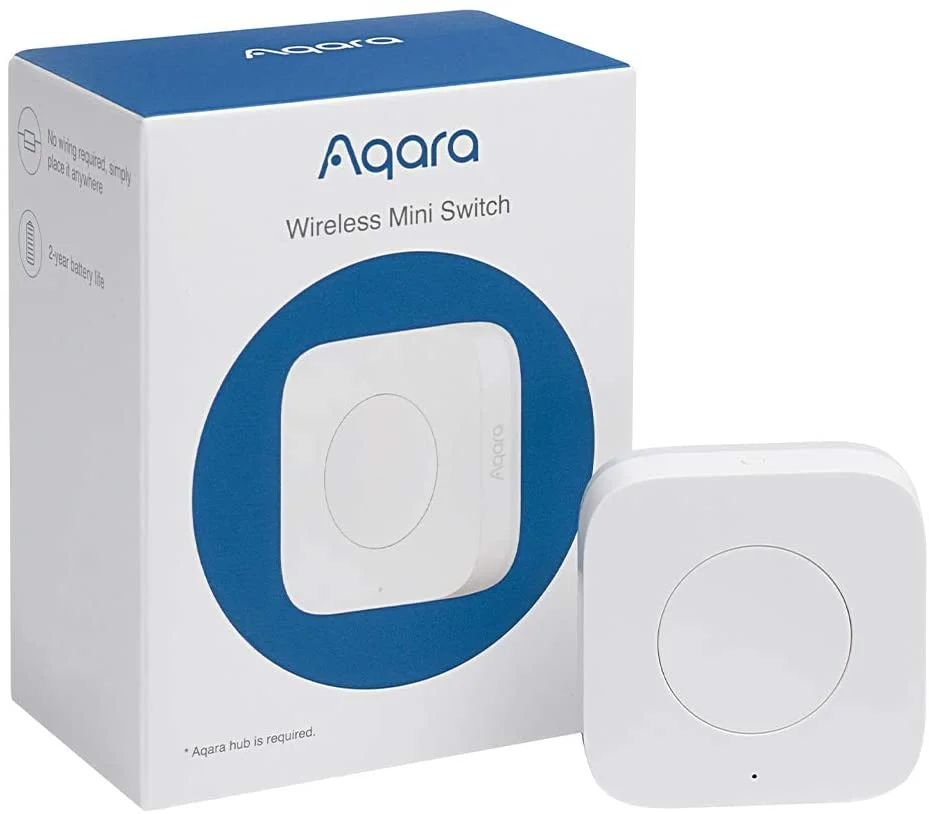
A wireless button or scene remote adds smart control without touching the switchbox: stick it on a wall and have it trigger scenes. It does not make an ordinary switch smart on its own, so it needs a smart bulb, plug or relay (for example a relay at the board) to act on. Availability of specific models changes, so ask us what we have in stock for your setup rather than relying on a name here.
Decision table: your situation, best option, what to ask the electrician
| Your situation | Best option | What to ask the electrician |
|---|---|---|
| Neutral is present at the switchbox | Smartify TAC or TOQ, or a Layer relay behind the switch (see the table above) | “Please confirm which wire is the neutral in every box I plan to change.” |
| No neutral at the box, and walls can be opened or conduit has room | Run a neutral to the box (Option 1) | “Can a neutral be pulled from the nearest point through existing conduit, or does the wall need chasing? Price per box?” |
| Whole lighting circuit can switch together, and the board has a neutral bar | DIN-rail Layer relay at the distribution board (Option 2) | “Is there space on the DIN rail? Which MCB feeds these lights, and can one room get its own circuit?” |
| Geyser, pump or other heavy load on its own circuit | Layer Relay 1 HL at the board (Option 2), installed by a qualified electrician | “What is the load current, is the cable sized for it, and is the circuit protected correctly?” |
| Neutral only at the light or fan point | A relay at that point (Option 2): send us photos and we will recommend or customise the approach; the documented placements are behind the switch and DIN rail | “Is there a neutral at that point, and is there room in the box or ceiling for a small module?” |
| Non-standard or unclear wiring (old loop wiring, mixed boxes, no neutral you can find) | Send photos of the switchbox and board; we will recommend or customise the right approach | “Please identify every wire in each box and at the board, and note where a neutral is available.” |
| Cannot or will not touch the wiring (renting, finished walls) | Smart bulbs or plugs, plus wireless buttons (Options 4 and 5) | Nothing: no electrician is needed. Keep the wall switch on. |
| You still want a neutral-less wall switch | A product that lists your bulb wattage as supported (Option 3) | “Will a bypass capacitor be needed, and where would it go?” |
Frequently asked questions
Can I install a smart switch if my switchbox has no neutral wire?
Not a standard one. Neutral-wired smart switches, including Smartify’s, need a neutral at the box. Typical approaches are to have a neutral run to the box, move the relay to a place that has one, use a neutral-less switch from another brand (with the trade-offs above), or use smart bulbs and plugs instead. Depending on your wiring, we can recommend the right one.
Can Smartify do this if my switchbox has no neutral?
Our standard modules need a neutral at the point of install: TAC switches require a neutral wire, TOQ panels list Live, Neutral and Load wires, and the Layer retrofit relays list Live, Neutral and Load wires. But Indian wiring varies, and for non-standard wiring we customise the approach for your home, for example bringing a neutral to the box or installing the relay at the distribution board. Send us photos of the switchbox and board on WhatsApp.
Can I put a Layer relay on the distribution board instead?
Our product pages list DIN-rail installation for the Layer relays, with Live, Neutral and Load connected and a 90–250V AC rating, so this is a documented option. It controls a whole circuit, and we cannot tell you from the product pages how your existing wall switch will behave, so send us photos and we will check your wiring.
Why does my LED light flicker or glow with a neutral-less switch?
Because these switches pass a small current through the load to power themselves. Low-wattage and non-dimmable LEDs react to that, and a bypass capacitor or a higher-wattage bulb is the usual workaround. Check the switch’s minimum load before you buy.
Are smart bulbs a good alternative?
For renters or finished walls, yes: no wiring is needed. The wall switch must stay on, and Wi-Fi-only bulbs are labelled “Wi-Fi only, no hub” because they usually stay in one brand’s app. Zigbee bulbs share a gateway with the rest of your open-stack devices.
How do I know whether my switchbox has a neutral?
Ask a qualified electrician to open the box with the MCB off and identify the wires. Do not test live wires yourself, and do not go by wire colour alone.
Not sure what your wiring allows? Ask on WhatsApp
Send a clear photo of the switchbox with the plate off (with the MCB off and no wires touched), a photo of the distribution board, and what each switch controls. We will recommend the right approach for your wiring before you buy anything. Message Smartify on WhatsApp, or use the contact page. Also see our best smart switches in India guide.
Sources
- Smartify product documentation: installation requirements for the TAC, TOQ and Layer product pages (docs.smartify.in), read 16 October 2026.
- StudioMatrx: installing smart lighting in India
- SmartHomeScene: the pros and cons of no-neutral smart switches