Smart Home Automation in Hyderabad: Costs, Villas & Setup
Complete guide to smart home automation in Hyderabad. Villa security, borewell pump control, per-floor cooling, Wi-Fi and Zigbee planning, real costs and how to choose an installer.

By Abhi Bavishi
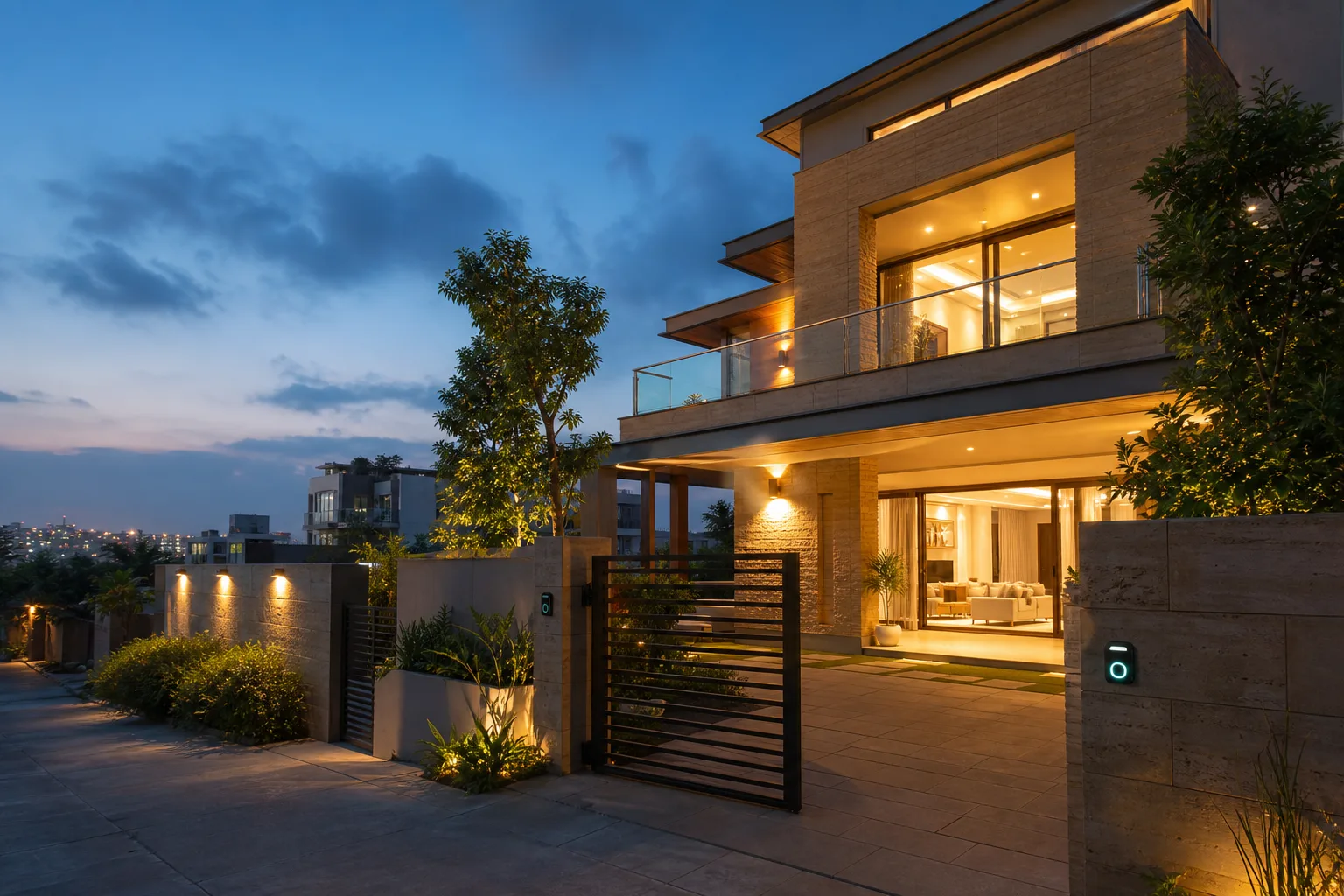
Ask someone in Bangalore or Mumbai about smart home automation and they will describe an apartment: a living room scene, a couple of smart switches, maybe a video doorbell. Ask in Hyderabad and the conversation goes somewhere else entirely. It starts at the compound gate.
Demand here leans toward villas far more heavily than it does anywhere else in urban India. Walk the gated developments in Kokapet, or out toward the Financial District, and the stock is overwhelmingly independent houses — each one with its own gate, its own boundary wall, a borewell underneath and a tank on the roof. The people buying them tend to be professionals whose work takes them out of the city regularly, and who want a property that does not need somebody standing in it to stay in order. That is a fundamentally different brief from automating a 2BHK.
This guide covers what smart home automation in Hyderabad actually involves — the perimeter, the water pump, the summer heat across multiple floors, what it costs, and how to choose someone to install it. If you live in an apartment in Hitech City or Kondapur, there is a section for you too, but the villa brief comes first because that is what makes this city different.
Why the Hyderabad Brief Starts Outside the House
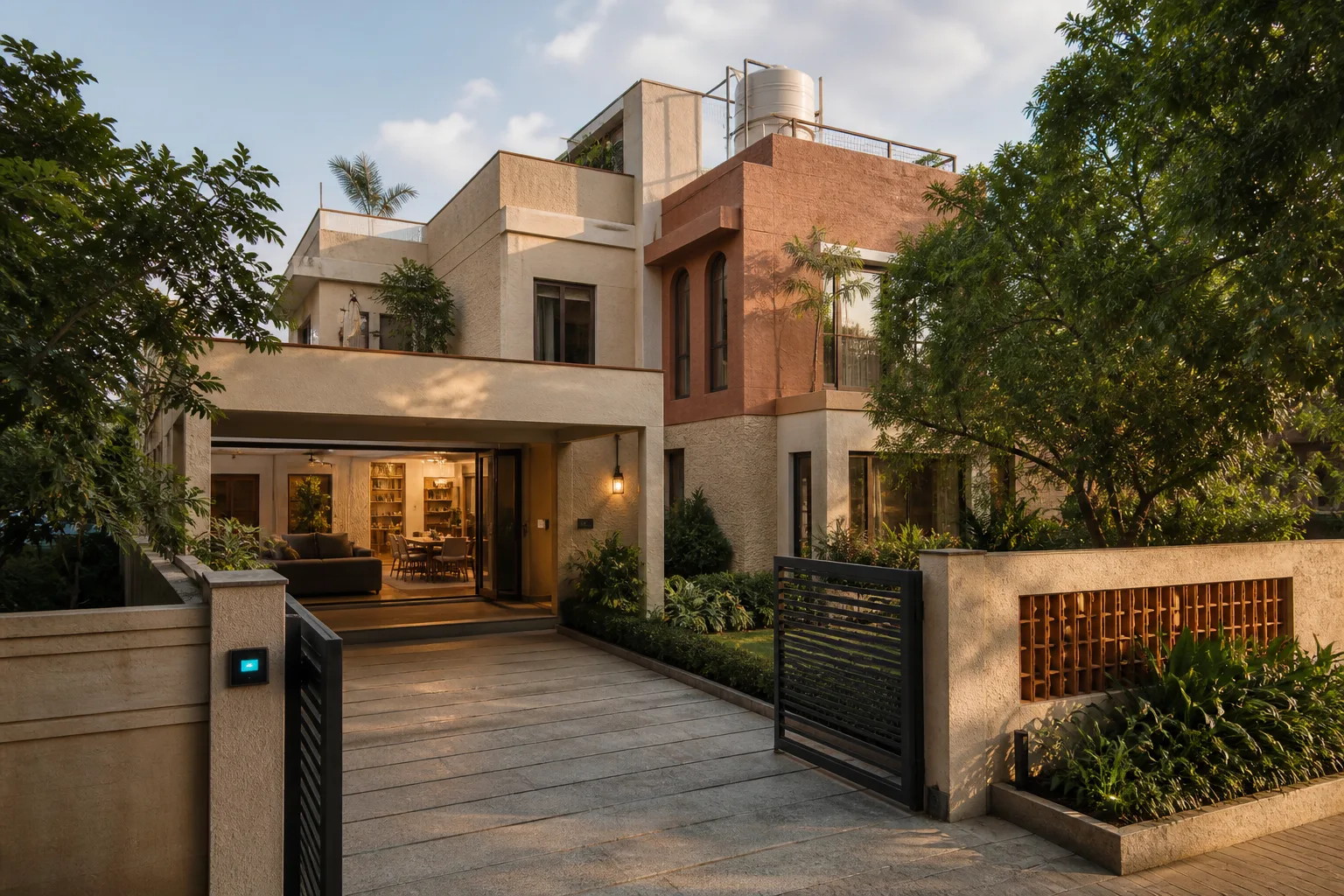
In an apartment, the building handles the perimeter. Security is someone else's job, water arrives at the tap, and the only thing you automate is what sits inside your own four walls. A villa hands all of that back to you.
You Are Automating a Plot, Not a Room
A villa in Kokapet has a gate, a driveway, a boundary wall, a garden, a sump, an overhead tank, and two or three floors above it. Every one of those is a thing that can be monitored, controlled or forgotten about. A system designed around a single living-room scene misses almost all of it. The useful question in Hyderabad is not "which room do I start with" but "what happens on this property when nobody is standing on it".
Owners Who Travel
The buyer profile in the IT corridor skews heavily toward people who leave for a week at a time. That changes what matters. Convenience features get used occasionally. Remote visibility gets used every single trip. When we design for Gachibowli and Financial District villas, the features that earn their cost are the ones that answer a question from an airport lounge: is the gate shut, did the pump run, is anyone at the door.
Multi-Floor Changes the Physics
Three floors behave differently from one. Heat stratifies, WiFi struggles through concrete slabs, and a single thermostat tells you almost nothing about the floor you are not on. Most of the design decisions specific to Hyderabad villas trace back to this one fact.
Wi-Fi, Zigbee, Thread and Matter: What Should a Hyderabad Home Use?
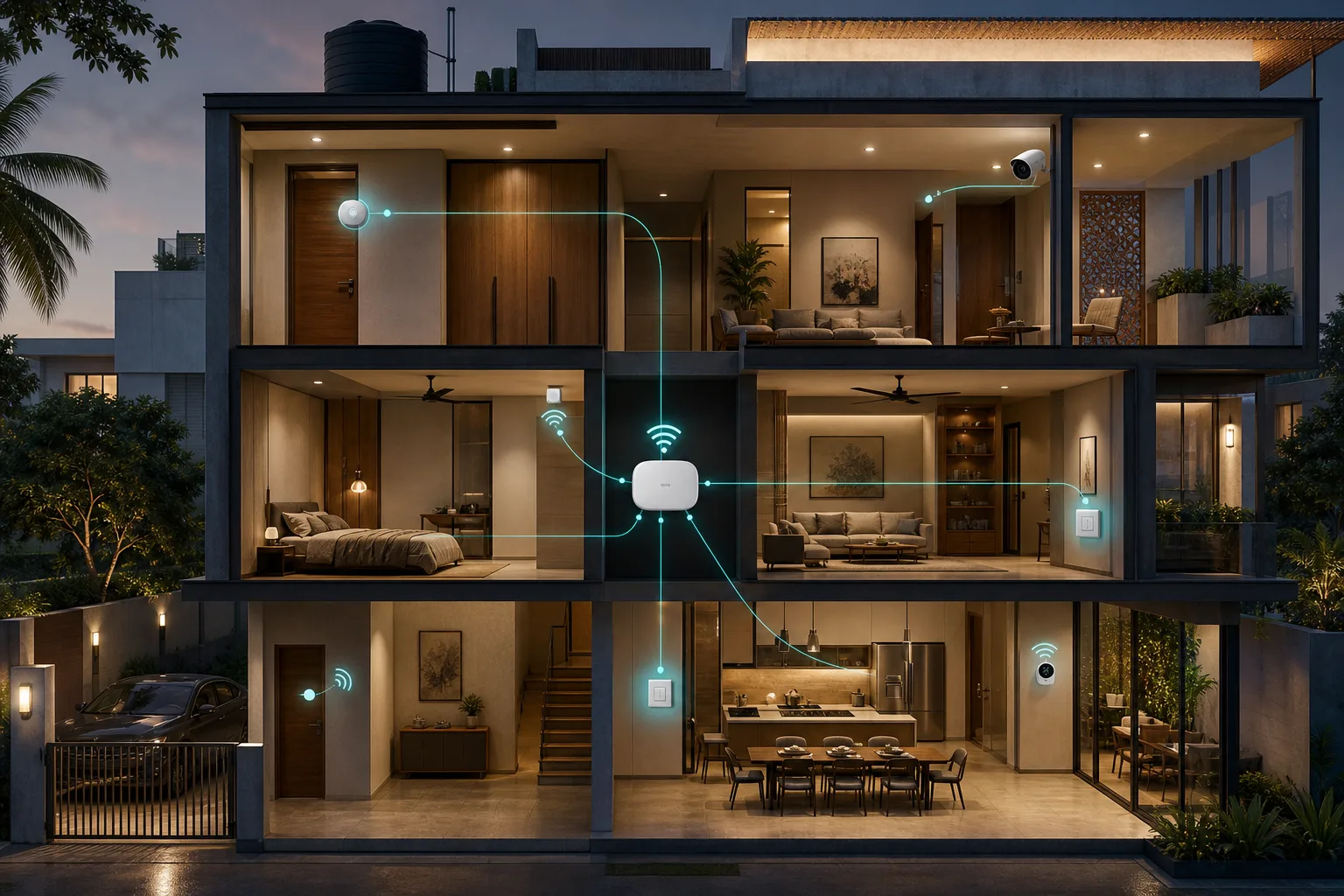
Wireless home automation is not one technology. A camera, a battery-powered door sensor and a smart switch may all be called wireless while using completely different networks. That distinction matters in Hyderabad, where concrete slabs, multiple floors, outdoor gates and unreliable mains power all affect the design.
The short version: Wi-Fi is useful for high-bandwidth devices such as cameras and for products that already belong on the home network. Zigbee and Thread are low-power mesh networks designed for sensors, switches, locks and other automation devices. Matter is not a radio at all; it is a common device language that can run over Wi-Fi, Thread and Ethernet, and can also include Zigbee products through a bridge. The Connectivity Standards Alliance explains the relationship here.
| Technology | What it is good at | What to plan for |
|---|---|---|
| Wi-Fi | Cameras, TVs, appliances and devices that need more bandwidth | Router coverage, congestion, power backup and a stable SSID/password |
| Zigbee | Battery sensors, switches, lights and low-bandwidth automation | A compatible hub/coordinator and powered mesh routers across larger homes |
| Thread | Low-power, IP-based mesh devices such as sensors, locks and shades | A compatible Thread Border Router and a Matter/platform controller where required |
| Matter | Interoperable local control across supported ecosystems | Certified devices, a compatible controller and the correct transport underneath |
| Wired control | New-build lighting, HVAC, pumps and critical property systems | Early electrical planning, conduits and a defined service/support path |
Wi-Fi is the high-bandwidth layer
Wi-Fi is familiar and convenient, but it is not automatically the best network for every light switch or sensor. Cameras need bandwidth, and Wi-Fi is a sensible choice for them. A villa filled with dozens of small switches and battery sensors is a different problem: each device consumes a place on the access point, depends on good coverage and may need to reconnect after a router change or power event.
For a Hyderabad villa, treat the Wi-Fi design as part of the automation quote. Ask where access points will sit on each floor, whether the terrace and gate have coverage, whether the router and automation hub are on the inverter, and who will reconfigure devices if the network name or password changes.
Why Zigbee is useful for sensors and switches
Zigbee is a low-power wireless mesh protocol built for automation. Battery sensors normally use very little energy, while suitable mains-powered devices can act as routers and pass messages for other devices. That is why a well-planned Zigbee network can cover a large home without putting every sensor directly on the Wi-Fi router. The Connectivity Standards Alliance describes Zigbee as a low-power, self-healing mesh with certified products.
Zigbee still needs a coordinator or hub in most installations. The hub stores the network and exposes the devices to the app or wider smart-home platform. The Zigbee radio itself does not need the internet; internet access is normally needed for remote control, cloud notifications, voice assistants or a hub that uses a cloud service.
Thread is similar in purpose but different in architecture
Thread also targets low-power mesh devices, but it is an IPv6-based network protocol. A Thread Border Router connects the low-power mesh to the rest of the home network; it is not the same thing as a brand-specific hub that translates every device into a proprietary app. Thread is designed for battery-friendly sensors and responsive controls, and mains-powered Thread devices can extend the mesh. Thread Group’s overview explains the protocol and its low-energy mesh model.
Matter is not the same thing as Zigbee
Matter is the common application layer that describes what a compatible device can do—such as switch a light, report temperature or lock a door. It runs over IP transports including Wi-Fi, Thread and Ethernet. Zigbee is a different networking and device protocol. A bridge can expose Zigbee devices to a Matter ecosystem, but a Matter-over-Thread device is not automatically a Zigbee device. Matter’s official overview separates the application layer from the underlying network technologies.
How to design wireless coverage across a Hyderabad villa
Do not accept a wireless quote that gives one indoor range number and stops there. Concrete slabs, metal electrical enclosures, tiled service areas, lift shafts and the distance from the house to the gate all change radio performance. The correct plan is a site survey followed by a coverage test on every floor and at the outdoor points that matter.
- Place the Zigbee coordinator or Thread Border Router somewhere central, not inside a metal electrical panel or at the far end of the ground floor.
- Use enough mains-powered routers—such as compatible switches, plugs or lights—to create a path between floors. Battery sensors usually do not repeat traffic.
- Keep cameras and high-bandwidth devices on a properly designed Wi-Fi or wired network rather than expecting a low-power mesh to carry video.
- Use wired or separately engineered links for gates, outdoor cameras and safety-critical pump interlocks when the property layout makes wireless uncertain.
- Ask for a recovery plan: what happens after a hub replacement, router replacement, firmware update or long power cut?
What we recommend by project type
| Project | Practical starting architecture | Why |
|---|---|---|
| Rented apartment | Wi-Fi for cameras and a small hub-based Zigbee or Thread layer for sensors and switches | Portable, fast to install and less dependent on wall changes |
| Owned apartment | Hybrid Wi-Fi plus Zigbee/Thread, with Matter where the chosen controller and devices support it | Balances retrofit convenience with a better expansion path |
| Existing villa | Hybrid wireless inside, engineered Wi-Fi/PoE outdoors, and wired local logic for pumps and other critical loads | Handles concrete, distance, perimeter coverage and power cuts honestly |
| New construction | Decide early which circuits should be wired, then use wireless where it reduces complexity | Conduits and network points are cheaper to plan before finishes are complete |
Before accepting a quote, ask for the protocol and model number of every device, the hub or controller that will commission it, what works without internet, the expected battery-maintenance schedule, and the replacement process if a vendor stops supporting a product. “Wireless” describes the connection; it does not by itself describe reliability, interoperability or support.
Securing a Villa Perimeter
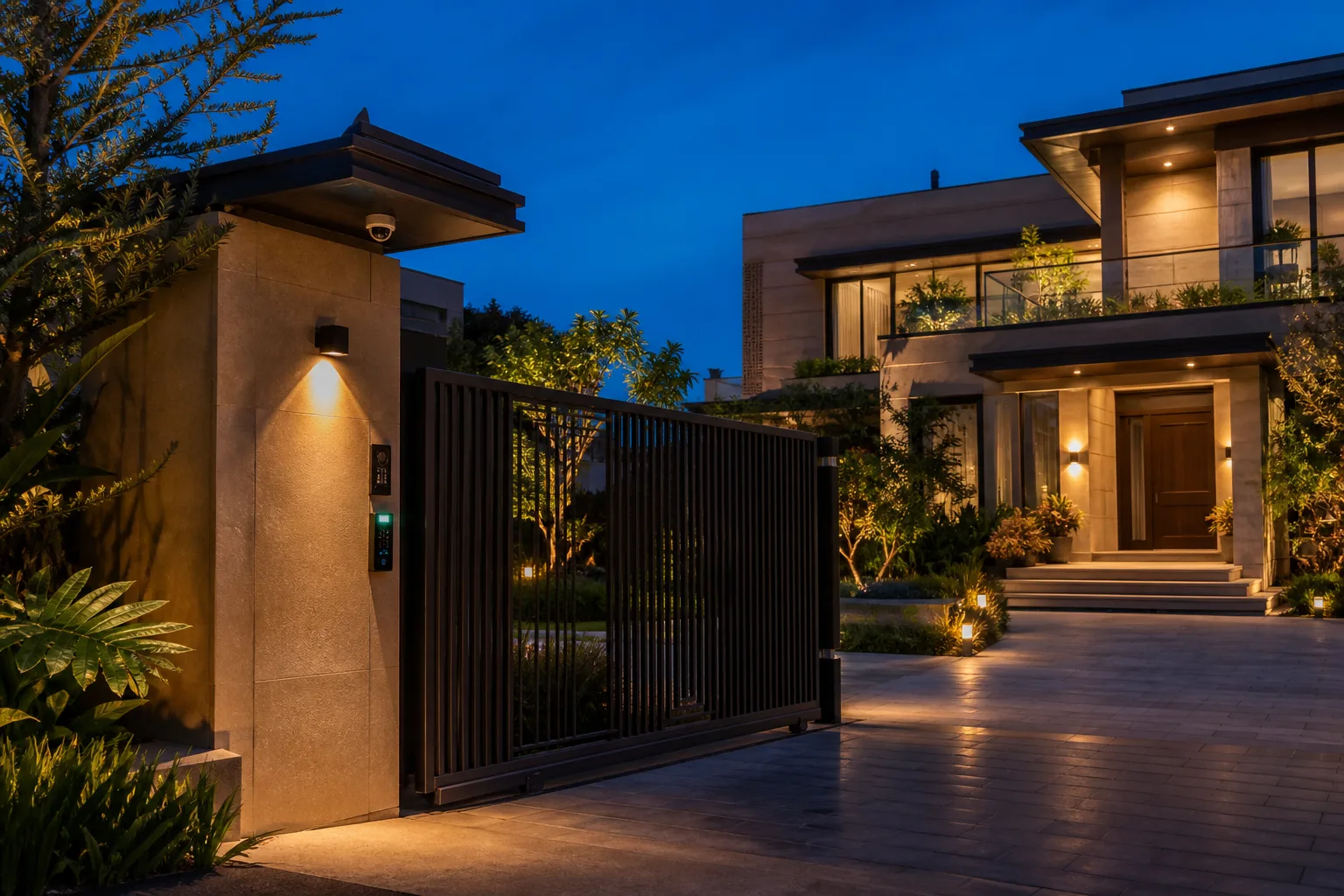
Perimeter security is the single most requested capability in Hyderabad villa projects, and it is worth understanding as a sequence rather than a shopping list.
Start at the Gate
Gate automation with remote access is the anchor. It means the gate can be opened for a delivery or a relative without anyone being home, and more importantly it means the gate reports its own state. A gate that tells you it is closed is worth considerably more than a gate you simply hope is closed. Pair it with a camera covering the approach and you have answered the most common anxiety in one step.
Cover the Ground Floor Entry Points
Contact sensors on ground-floor doors and windows are inexpensive and disproportionately useful. They are the difference between a camera that records an entry and a system that tells you an entry is happening. In a villa with four or five ground-floor openings, this is usually under ₹15,000 of hardware and it is the layer people are most glad they added.
Cameras at the Gate and the Rear Approach
Front gate coverage is obvious. The rear approach is the one that gets skipped and the one that matters — boundary walls are easiest to cross where nobody is looking. Motion-triggered alerts that reach your phone within seconds are more useful than continuous recording nobody reviews.
Presence Simulation
While the house is empty, lighting can run on a pattern that looks lived-in rather than a timer that switches everything on at 7pm every evening. It is a small feature that does real work on a property that stands empty for days at a time.
The Borewell and Overhead Tank Problem
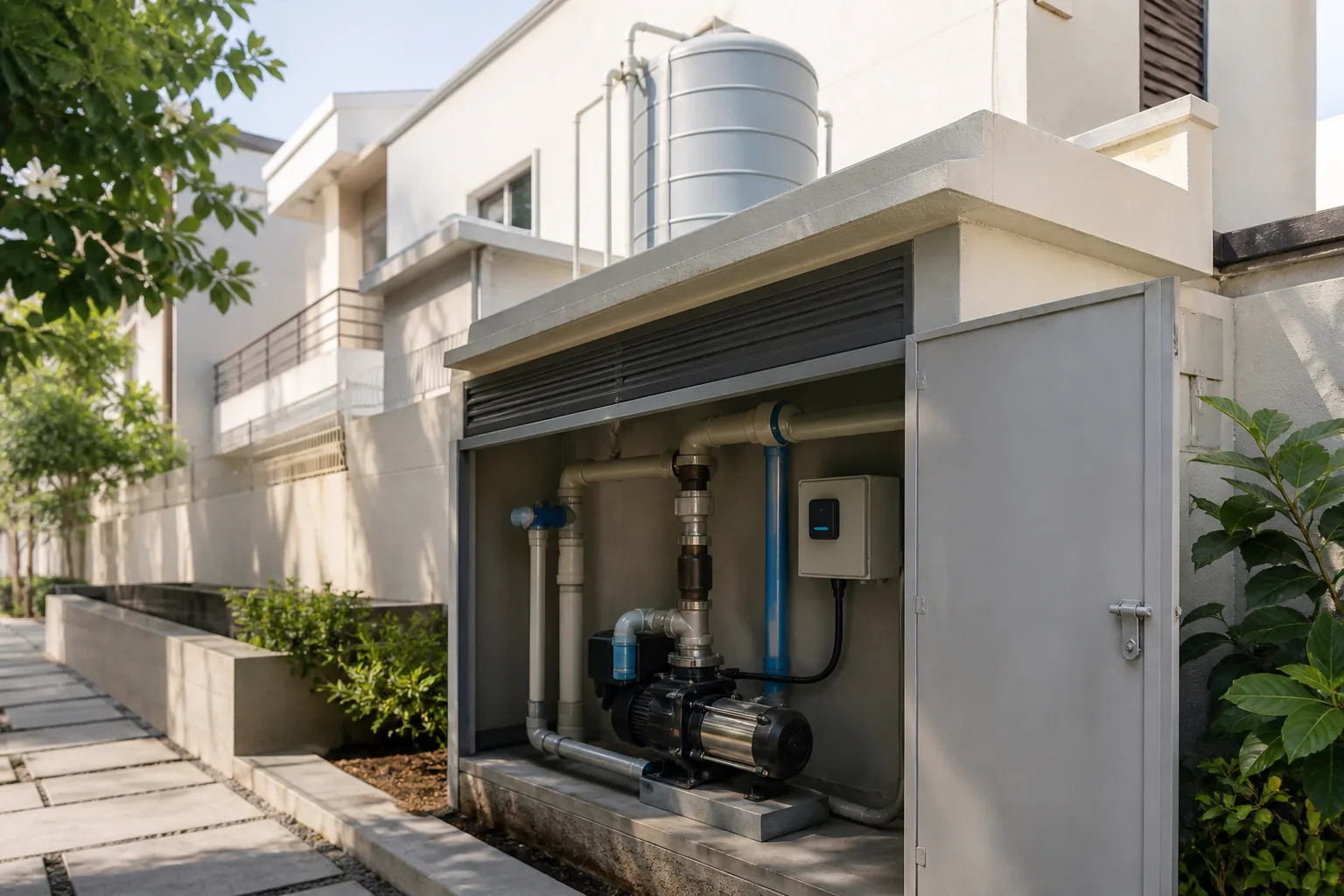
This is the part of Hyderabad automation that almost never appears in a national buyer's guide, and it is one of the most-used features in every villa we commission.
Most independent homes here run on a borewell feeding a sump, with a pump lifting water to an overhead tank. Two failures are routine. A pump left running past a full tank wastes water and electricity and can overflow. A pump started when the sump is empty runs dry and burns out — an expensive, entirely avoidable repair.
How Pump Automation Works
Level sensors sit in the sump and the overhead tank. The pump starts when the overhead tank drops below a set level and stops on its own when it fills. Nobody has to remember, and nobody has to climb up to check. A phone alert tells you when the sump itself is running low, which is the early warning that matters in summer.
Dry-Run Protection
If the sump level is too low, the system simply refuses to start the pump. This one interlock pays for the whole subsystem the first time it prevents a burnout.
It Runs Locally
Pump control is wired to run on local logic, not through the cloud. If the internet is down, the pump still fills the tank and still refuses to run dry. Only the alerts need connectivity. This is the correct design for anything that protects hardware, and it is worth confirming with whoever quotes you.
Getting Through a 42°C Summer on Three Floors
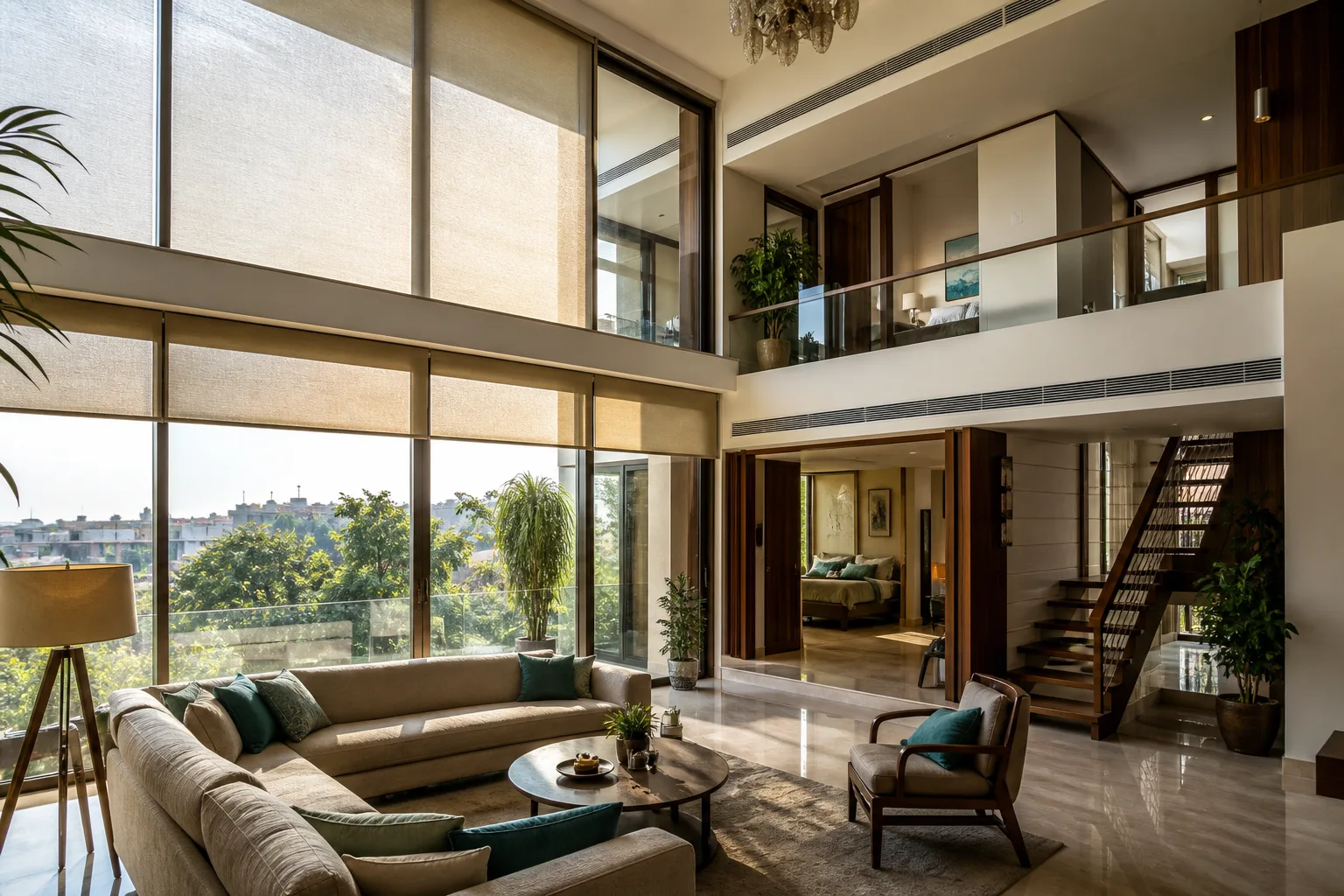
Hyderabad summers push past 42°C for weeks at a stretch. In a two or three-floor villa, the upper floors stay hot long after the ground-floor ACs have cooled the rest of the house, because heat rises and the roof slab has been absorbing sun all day.
Per-Floor Scheduling Beats One Big Thermostat
With temperature sensors on each level, upstairs units can start ahead of when the floor is actually occupied, pulling the temperature down gradually instead of running at full load the moment someone walks in at 9pm. The comfort difference is obvious. The bill difference is real, because a unit that has been cooling gently for forty minutes draws less than one sprinting from 34°C.
Motorised Blinds on West-Facing Glass
West-facing glazing is the largest single heat load in most Hyderabad villas. Blinds that close automatically through the afternoon and open again in the evening cut heat gain before the AC has to fight it. This is the cheapest thermal intervention available and it is routinely skipped.
Energy Monitoring Tells You Which Floor Is Expensive
Circuit-level energy monitoring answers a question most homeowners can only guess at: which part of the house is driving the summer bill. Usually it is one or two units on the top floor running far longer than anyone realised.
Power Cuts: What Keeps Working
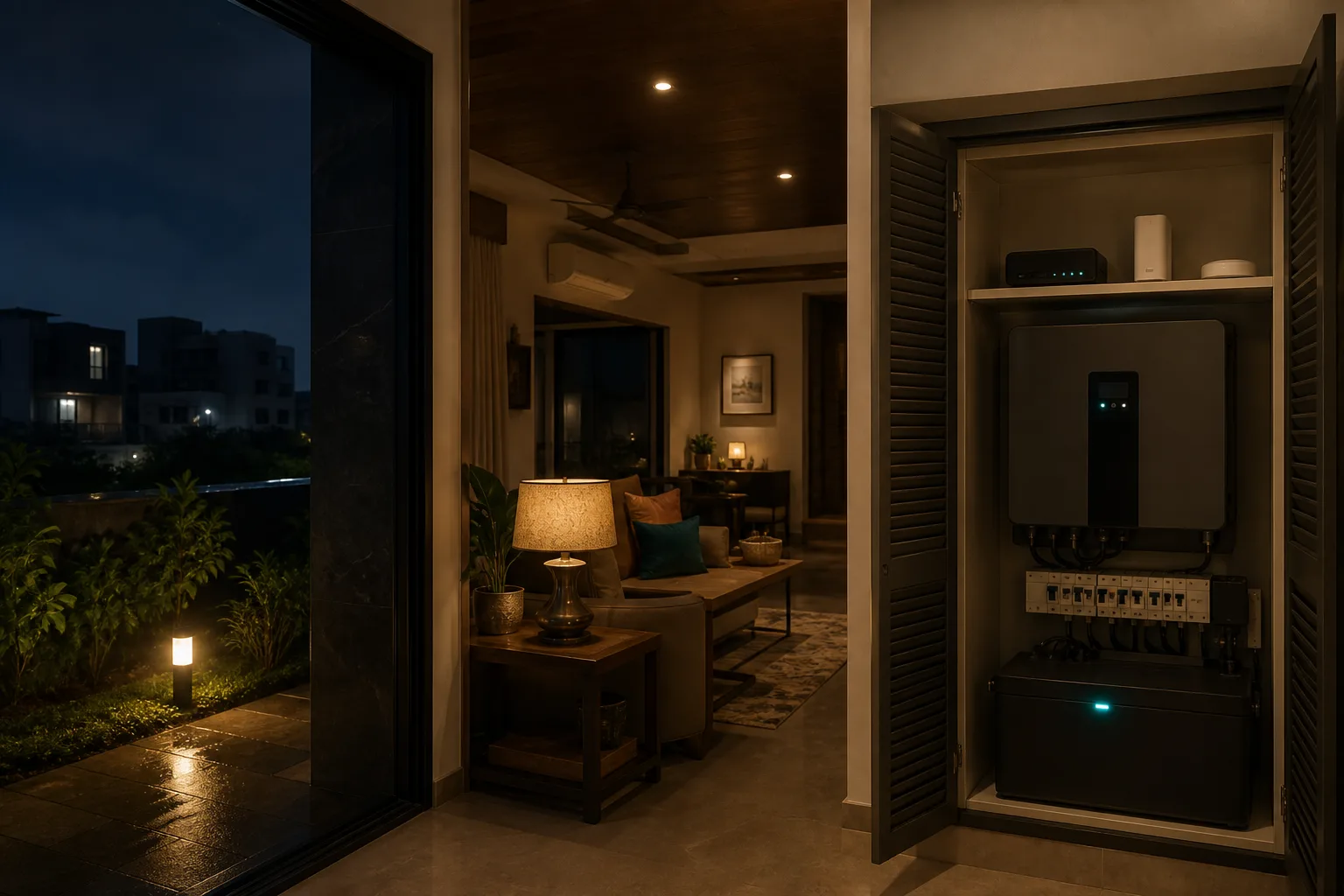
What Survives a TSSPDCL Outage
The automation logic survives. Zigbee devices keep their configuration on the hardware itself. Roughly a minute after power comes back, the hub has rejoined the network and every scene and timer picks up where it left off, with nobody opening an app. You do not come home to a system that has forgotten itself.
What to Put on the Inverter
Devices still need power. Most Hyderabad villas already have an inverter or UPS, and the practical answer is to put the hub, the router and the gate controller on that circuit. That combination keeps remote access, gate control and alerting alive through an outage for a very small share of the backup capacity. Everything else can wait for supply to return.
What It Costs in Hyderabad

Prices below are the ranges we quote in this city. Villa numbers vary more than apartment numbers because plot coverage varies, which is why villa quotes follow a walk of the property rather than a phone call.
Apartment — 2BHK or 3BHK
| Component | Range |
|---|---|
| Lighting and switches (8–14 points) | ₹60,000 – ₹1,10,000 |
| Smart lock | ₹25,000 – ₹45,000 |
| Cameras and video doorbell | ₹20,000 – ₹40,000 |
| AC control (2–4 units) | ₹14,000 – ₹28,000 |
| Curtain automation (1–3 tracks) | ₹25,000 – ₹75,000 |
| Hub, app and voice setup | ₹15,000 – ₹25,000 |
| Installation and commissioning | ₹20,000 – ₹35,000 |
| Typical total | ₹1.8L – ₹3.5L |
Villa
| Component | Range |
|---|---|
| Lighting and switches across floors (20–35 points) | ₹95,000 – ₹1,95,000 |
| Gate automation and intercom | ₹40,000 – ₹90,000 |
| Perimeter cameras (4–8) | ₹40,000 – ₹90,000 |
| Smart locks (2–3 doors) | ₹45,000 – ₹90,000 |
| Water pump and tank automation | ₹18,000 – ₹35,000 |
| Per-floor climate control | ₹25,000 – ₹50,000 |
| Hub, network and commissioning | ₹32,000 – ₹60,000 |
| Typical total | ₹3L – ₹6L |
What Moves the Number
Switch point count is the biggest single driver in both cases — it scales directly with how many rooms and how many circuits per room. After that it is curtain tracks in apartments and plot coverage in villas. For a broader national picture of what drives smart home pricing, our home automation cost guide for India breaks the components down in more detail.
Apartments in Hitech City, Kondapur and Madhapur
Not everyone in Hyderabad is buying a villa. The apartment stock around the IT corridor is substantial, and the brief is genuinely different.
What Changes
The perimeter, the water and the multi-floor climate problem all disappear — the building handles them. What remains is lighting, climate, security at your own door, and convenience. That makes an apartment system simpler to specify and quicker to install, typically two days rather than four to six.
If You Are Renting
A large share of Kondapur and Madhapur is rented. Retrofit switch modules sit behind your existing switch plates and come out cleanly when you move, and everything else — cameras, locks, hub, sensors — is portable by definition. Nothing here requires a landlord conversation about drilling or rewiring.
Installing Without Rewiring
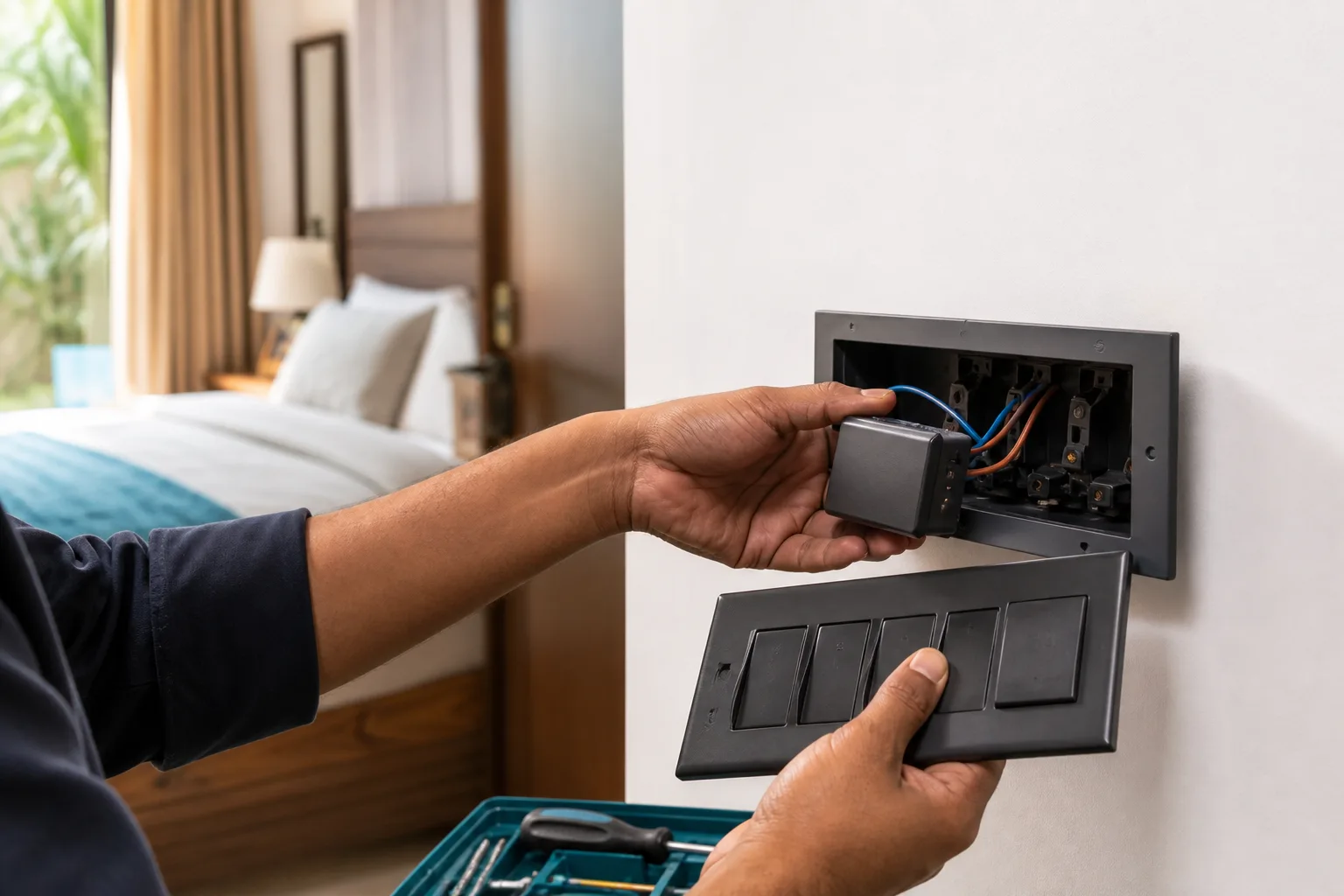
The Retrofit Approach
Modules fit behind existing switch plates and use the wiring already in the wall. No chasing, no broken walls, no repainting. Your existing switches keep working exactly as before, which matters more than people expect — guests, staff and grandparents do not need to learn anything.
Typical Timeline
An apartment is usually one to two days. A villa runs three to six depending on plot coverage and how much perimeter work is involved. Gate automation and outdoor camera runs are the parts that add days, because they involve cabling outside the house.
Choosing a Home Automation Company in Hyderabad

Hyderabad has a genuinely competitive installer market — our Hyderabad installer directory lists nine established automation firms, every one of them rated 4.5★ or above across a combined 592 Google reviews, working out of Jubilee Hills, Banjara Hills, HITEC City, Begumpet and Nizampet. That is a healthy market, and it means you can afford to be selective. Here is what to check.
Experience With Villas Specifically
Apartment automation and villa automation are different disciplines. Ask directly how many gate installations, pump automations and multi-floor climate systems a company has actually commissioned. Plenty of competent apartment installers have never wired a sump sensor.
Local Presence and Response Time
Gate hardware and outdoor cameras occasionally need a physical visit. A team that can reach Kokapet or the Financial District the same day is worth more than a marginally cheaper quote from a company that services the city remotely. Familiarity with TSSPDCL supply patterns and gated-community approval processes saves real time.
Brand Partnerships
Authorised dealers of established brands supply genuine hardware with valid warranties and a support path when something fails in year three. Ask which brands a company is authorised for, not merely which brands it can source.
Transparent, Itemised Pricing
You should be able to see equipment, installation and any recurring costs as separate lines. A single lump-sum figure with no breakdown makes it impossible to compare quotes or to understand what you are dropping if you trim the scope.
Local Logic, Not Cloud Dependence
Ask specifically what continues to work with the internet down. Pump protection, gate control and lighting scenes should all run locally. If the answer is that everything routes through a cloud service, that is a design choice you should make knowingly rather than discover during an outage.
Frequently Asked Questions
1. What does smart home automation cost for a villa in Hyderabad?
Budget ₹3L to ₹6L for a villa with lighting on every floor, smart locks, gate control, camera coverage and app plus voice control. Apartments sit well below that, in the ₹1.8L to ₹3.5L band for a 2BHK or 3BHK. What actually moves the figure is how many switch points you have, and whether AC and curtains are in scope. Villas spread wider because plot sizes do, so we price those after seeing the property rather than over a call.
2. Can you automate the borewell and overhead tank pump?
It is one of the features villa owners here end up relying on daily. Sensors read water level in both the sump and the tank above, and the pump starts and stops on those readings alone — shutting off once the tank fills, refusing to start when the sump is too low to draw from, and messaging you when supply is running down. The interlock lives on the local hub, so losing the internet does not disable it.
3. Will the system keep working during a TSSPDCL power cut?
The logic survives it. Zigbee hardware keeps its configuration on the device itself, and once supply returns the hub is back within roughly a minute with every schedule and scene intact — nothing to reset, nothing to reconfigure. Power is the part that needs planning: we normally move the hub, router and gate controller onto whatever inverter or UPS the villa already runs, which keeps alerting and gate access alive while the rest of the house waits for supply.
4. Do I need to break walls to install this?
No. Retrofit modules sit behind your existing switch plates and use the wiring already in place. There is no chasing, no rewiring and no repainting, and your existing switches continue to work normally alongside the app and voice control.
5. Can I start small and expand later?
Yes, and in villas it is usually the sensible approach. Most owners start with the perimeter — gate, cameras, ground-floor contact sensors — because that is what they worry about when travelling, then add lighting and climate floor by floor. As long as the hub and network are specified for the full eventual scope on day one, expansion is straightforward.
6. Which areas of Hyderabad do you cover?
Our own teams cover the western corridor — Gachibowli, Kokapet, the Financial District, Madhapur, Kondapur and HITEC City — along with Jubilee Hills, Banjara Hills and the gated projects strung along the ORR. Secunderabad and the northern suburbs we handle through vetted partner installers.
7. Does Zigbee need Wi-Fi or the internet?
Zigbee devices communicate with the coordinator over their own low-power radio mesh, not directly over Wi-Fi. The coordinator may connect to your home network over Wi-Fi or Ethernet, but local automations can continue during an internet outage if the hub supports local execution. Remote app access, cloud notifications and voice assistants usually need internet. Ask the installer which scenes are local and which depend on a cloud service.
8. Will Zigbee work across a three-floor villa?
It can, but a single hub placed beside the router should not be assumed to cover every floor. Concrete slabs and service areas can weaken the path. A proper design places the coordinator centrally and uses compatible mains-powered Zigbee routers on the upper floors. The installer should test the actual property, especially the terrace, utility area and gate, rather than promise coverage from a generic range figure.
9. Can I mix Zigbee devices from different brands?
Often, but not automatically. A common Zigbee standard improves the odds that products can share a network, yet the hub must support the device, its profile and the features you need. A sensor may pair successfully while exposing only basic functions. Ask for the hub’s compatibility list, confirm certified or supported models, and check whether the configuration can be restored if the hub is replaced.
10. Is Matter the same thing as Zigbee?
No. Zigbee is a low-power networking and device protocol. Matter is a common smart-home application protocol that runs over Wi-Fi, Thread and Ethernet, and can work with Zigbee devices through a bridge. A Matter badge does not tell you whether the product uses Wi-Fi or Thread underneath, so check the transport, controller requirements and supported features before buying.
11. What happens if the hub or internet goes down?
An internet outage and a hub failure are different events. A locally executed Zigbee or Thread scene may continue without internet, while remote control and cloud alerts stop. If the hub itself fails, the devices may remain powered but the network usually needs a replacement, restore or re-pairing process. Keep physical switch control for essential lights, specify local pump logic separately, and ask whether the installer can export or restore the configuration.
12. Are wireless smart-home devices secure?
Wireless is not automatically insecure, but security depends on the protocol, commissioning process, firmware support and the way the home network is configured. Use certified devices, unique accounts, strong router credentials, current firmware and separate network access where appropriate. Ask how old devices receive security updates, who can add a new device, and what happens when an installer or tenant should no longer have access.
13. How often do wireless sensors need new batteries?
Battery life depends on the sensor type, radio protocol, reporting frequency, temperature and the battery itself. Door contacts are usually lighter on batteries than frequently triggered motion or vibration sensors. Treat the manufacturer’s rating as an estimate, not a guarantee: include battery alerts, use good cells, and ask who handles replacements after handover. Mains-powered switches and plugs that repeat the mesh do not need battery maintenance.
Where to Start
If you are in a villa, start with the perimeter and the pump. Those two subsystems answer the questions that actually keep Hyderabad homeowners up — is the property secure while I am away, and is the water handled without me thinking about it. Lighting and climate are genuinely nice, but they are not what you will miss on a work trip.
If you are in an apartment, start with lighting and a smart lock, then add climate control before your first full summer. The upgrade path is forgiving as long as the hub is sized correctly at the outset.
Either way, get the property walked before you accept a quote. Hyderabad plots vary enough that a number quoted over the phone is a guess. You can see how we approach smart home installation across Hyderabad, or compare local options in the Hyderabad installer directory.