 SmartNode
 SmartNode Scene Switch Controller SD.SSC.1
Key features
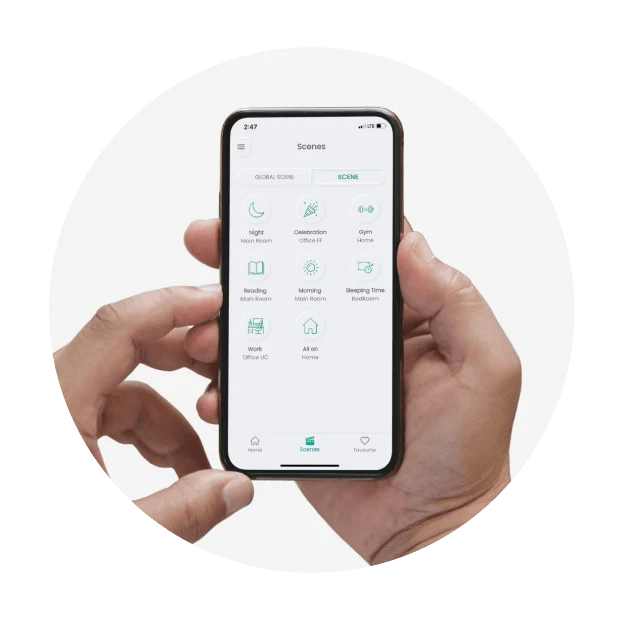
One familiar control can set up the whole room. The scene controller turns a compatible keypad, touch panel or mechanical switch into a trigger for coordinated actions, from an evening lighting arrangement to an all-off routine. Each input can be configured around the way the room is actually used.
Genuine Product
100% Authentic
Warranty
Confirmed with quote
Availability
Enquire before ordering
Expert Support
Mon-Sat Support
Product Description
SmartNode Scene Switch Controller SD.SSC.1
The SD.SSC.1 is an input controller for Smart Node scenes and compatible loads. It lets a physical control call up a prepared set of actions instead of requiring a separate app command for every connected device.
What it does
Touch panels and keypads can use short- and long-press actions; mechanical switches use press and release events. Depending on the connected devices, holding a control can adjust dimming, tuning or fan speed. Each interaction can be assigned to a load, a scene or a toggle action.
A TI.4S(SSC) panel supports eight scene assignments, while TI.8S(SSC) supports sixteen. Home Tune and Home Vibe keypads are also listed, and up to eight bell-push or mechanical switch inputs can be connected. The manufacturer limits registration to one user ID.
Technical specifications
| Specification | Details |
|---|---|
| Manufacturer model | SD.SSC.1 |
| Input supply | 100–240 V AC |
| Connectivity | 2.4 GHz Wi-Fi, IEEE 802.11 b/g/n |
| Module format | 2M |
| Compatible panel families | TI.4S(SSC), TI.8S(SSC) |
| Physical inputs listed | Home Tune/Home Vibe keypads; bell-push/mechanical switches |
| Mechanical switch count | Up to eight |
| Control events | Short/long press or press/release, depending on interface |
| Operating environment | 0°C to 65°C, non-condensing; no water resistance |
Planning your installation
As a planning example, the entrance switch could recall an arrival scene, while a bedside control could trigger a separate night routine. Start by listing the desired outcome for every button, including what a second press should do. This avoids a panel full of actions that are technically possible but difficult to remember.
Provide the exact panel or switch model and a list of the devices that each scene should operate. An installer must match the interface wiring, configure the account and commission the participating devices. Labels and a short handover guide are worth agreeing before installation.
Compatibility and limitations
The controller triggers connected equipment; it does not itself add dimming or speed control to an unsuitable load. The manual distinguishes DALI dimming/tuning from phase-cut devices, which support dimming only in this context. Third-party keypads require wiring and compatibility confirmation rather than a blanket compatibility promise.
Enquiry-only. Smartify confirms the exact variant, included components, availability and quotation before ordering.
Professional Installation Available In
Get expert installation for SmartNode Scene Switch Controller SD.SSC.1 in these cities with certified technicians and comprehensive warranty support.
Don't see your city? We're expanding! Contact us to check availability in your area or view all service locations.
Need Help Choosing?
Our smart home experts can help you find the perfect products for your home.